Rover written with RUST
RE-DO of Visual Odometry from day 1.
2025.11.05 10:53
I have tried again from the beginning and got a lot better result.
* New knowlege that I have gained.
1. I should use maximum resolution images @ calibration even if I'll be runnign with lower resolution input during robot's runtime due to the speed trade-off. The calibrated data with maximum resolution produces by FAR BETTER QUALITY to be used down the line. Making the checker board's square bigger also helps. However, compared to the result from maximum resolution, it is almost ignorable.
2. Running with lower resolution has trade off. (Speed vs. Accuracy)
In my case, this is the result of final Visual Odometry.
0.5 FPS @ 1280 x 720 ~Not tried
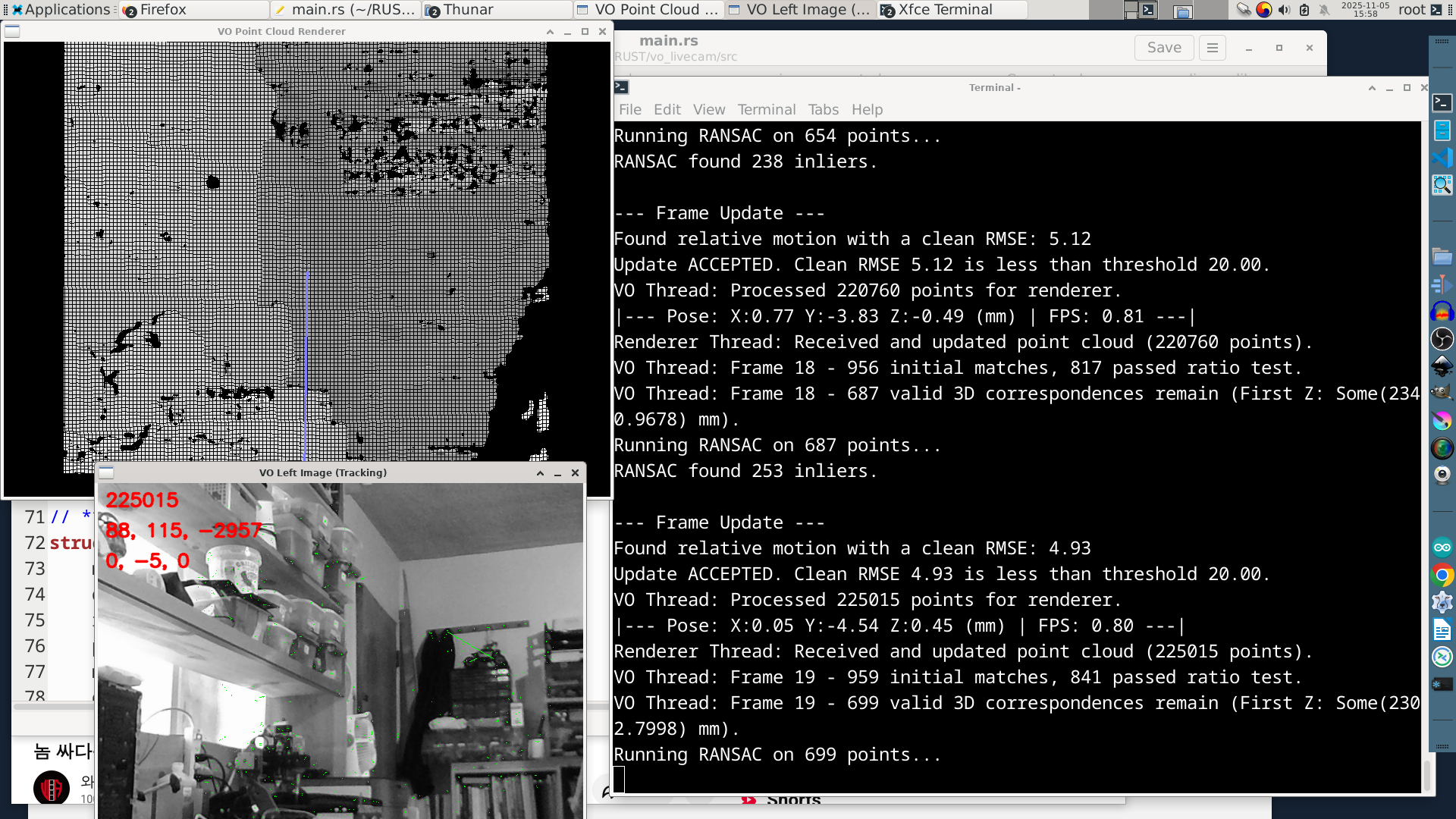
1.39 FPS @ 640 x 480 ~350 valid 3D correspondences found
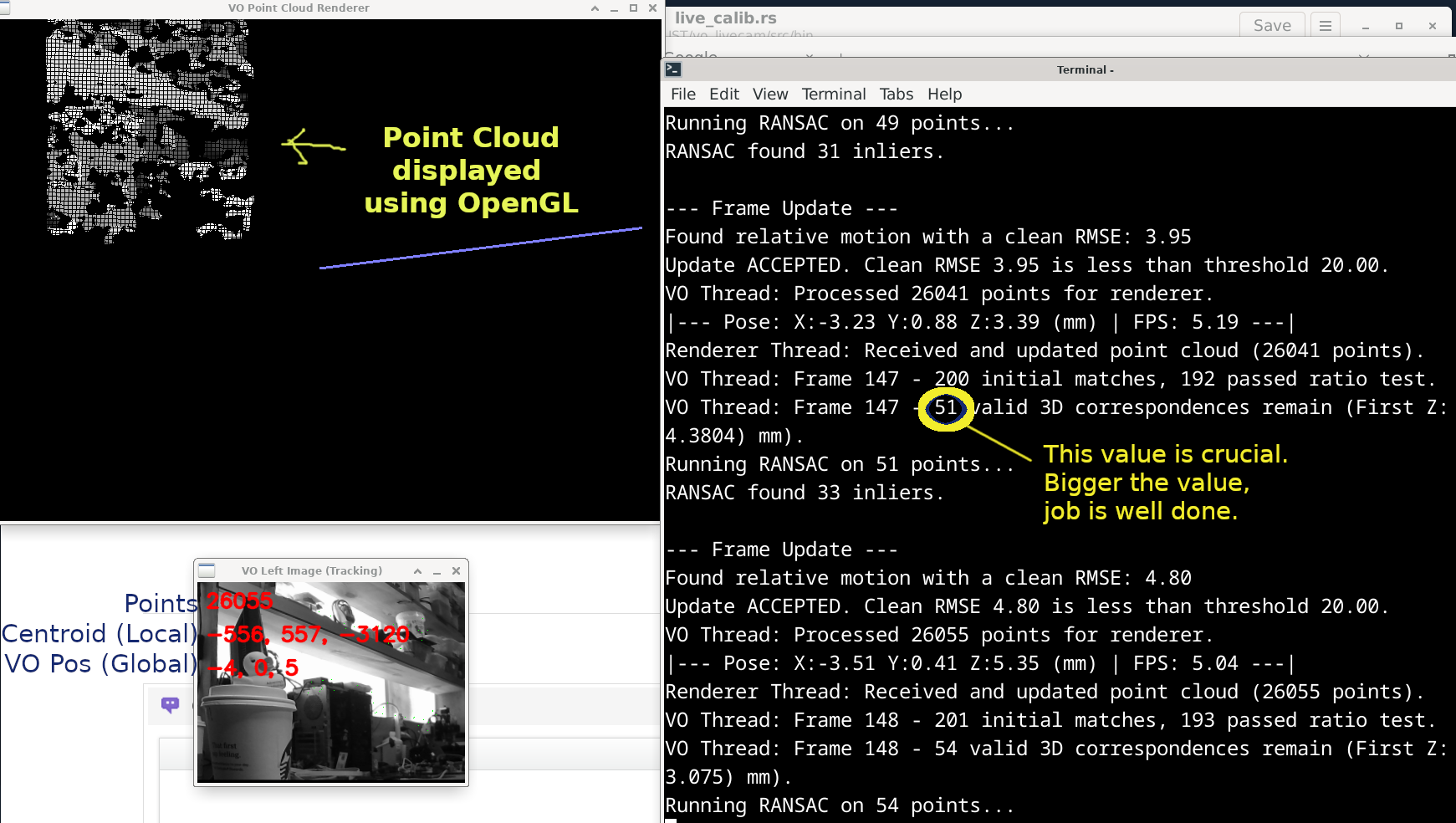
5.5 FPS @ 320 x 240 ~60 valid 3D correspondences found (Good enough)
Even though the speed is fast on 320x240 resolution, I have to use the image from an eye of stereo camera pass to the NPU to perform YOLO operation. Therefore, I will be ended up with 640x480 resolution.
-------------------------------------------------------------------------------------------
My new project name : vo_livecam #I'm doing it from the input from stereo camera
My work folder : ~/RUST/vo_livecam
My Cargo.toml # this very important since other versions of OpenGL simply does not work at all.
OpenGL is used for display 3D Point Cloud by stereo camera.
-------------------------------------------------------------------------------------------
[package]
name = "vo_livecam"
version = "0.1.0"
edition = "2024"
default-run = "vo_livecam" # <-- ADD THIS LINE to make it run as "cargo run" to run main.rs
[dependencies]
nalgebra = "0.32" # For linear algebra (points, vectors, matrices)
anyhow = "1.0" # Error handling simplification
rand = "0.8" # Random number generation for RANSAC
opencv = "0.96.0" # OpenCV with necessary features for VO and Camera/Display
glutin = "0.29.1" # Any other versions just did not work.
gl = "0.14.0" # For OpenGL, any other versions simple does not work.
cgmath = "0.18.0"
# // cargo run --bin run_calib // it will run a run_calib.rs located on /src/run/ folder.
# // To do, you will have block default-run line in 5th line for a moment.
-------------------------------------------------------------------------------------------
Sample image of the running at 320 x 240 resolution.
Camera used for this expriment :
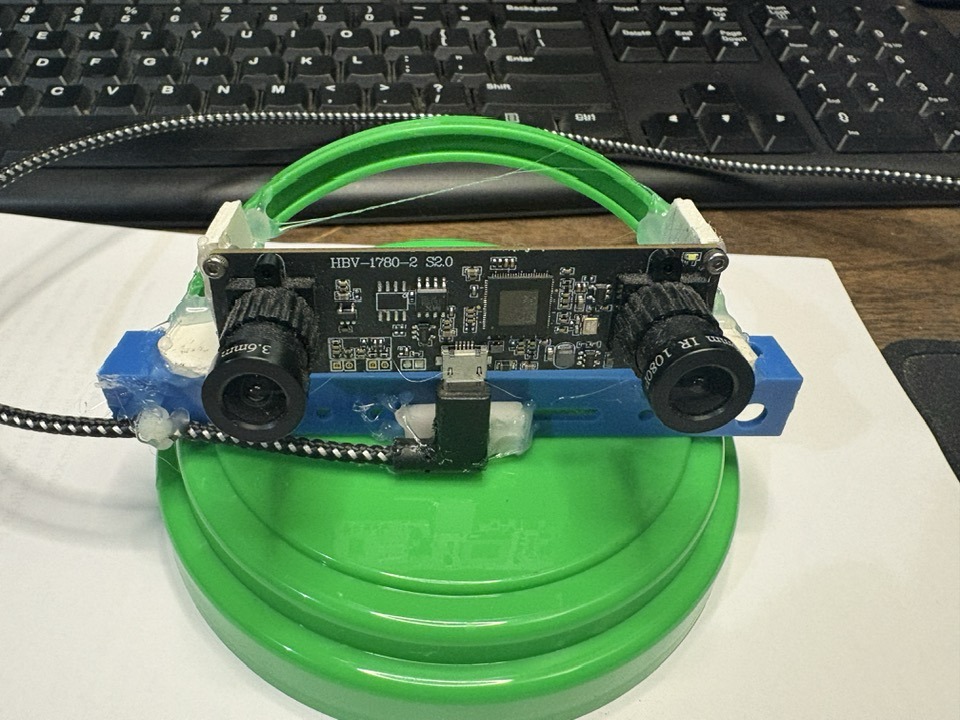
I got this camera about 5 years ago. I'm pretty sure price have doubled by now.

Checker Board for Calibration (From OpenCV)

Running in 640 x 480 Mode.